Using OpenClaw to push Garmin Workout Details to Strava
TLDR: I used OpenClaw (formerly ClawdBot) to automatically post Garmin workout details (i.e., muscle maps and running metrics) to Strava, because neither Strava’s API nor Garmin’s API actually support this. OpenClaw opens a browser, screenshots the data from Garmin Connect, crops it with Gemini, and uploads it to Strava like a human would. I get a text when it’s done.
The Problem
I use my Garmin for everything - weight lifting, cycling, running. Garmin’s app is incredibly data rich but much of that data does not propagate to Strava. For example, with weight lifting, if you use the set/rep feature on the newer models (such as Fenix 8), Garmin will show its guess at the muscles targeted & log the lifts you performed.
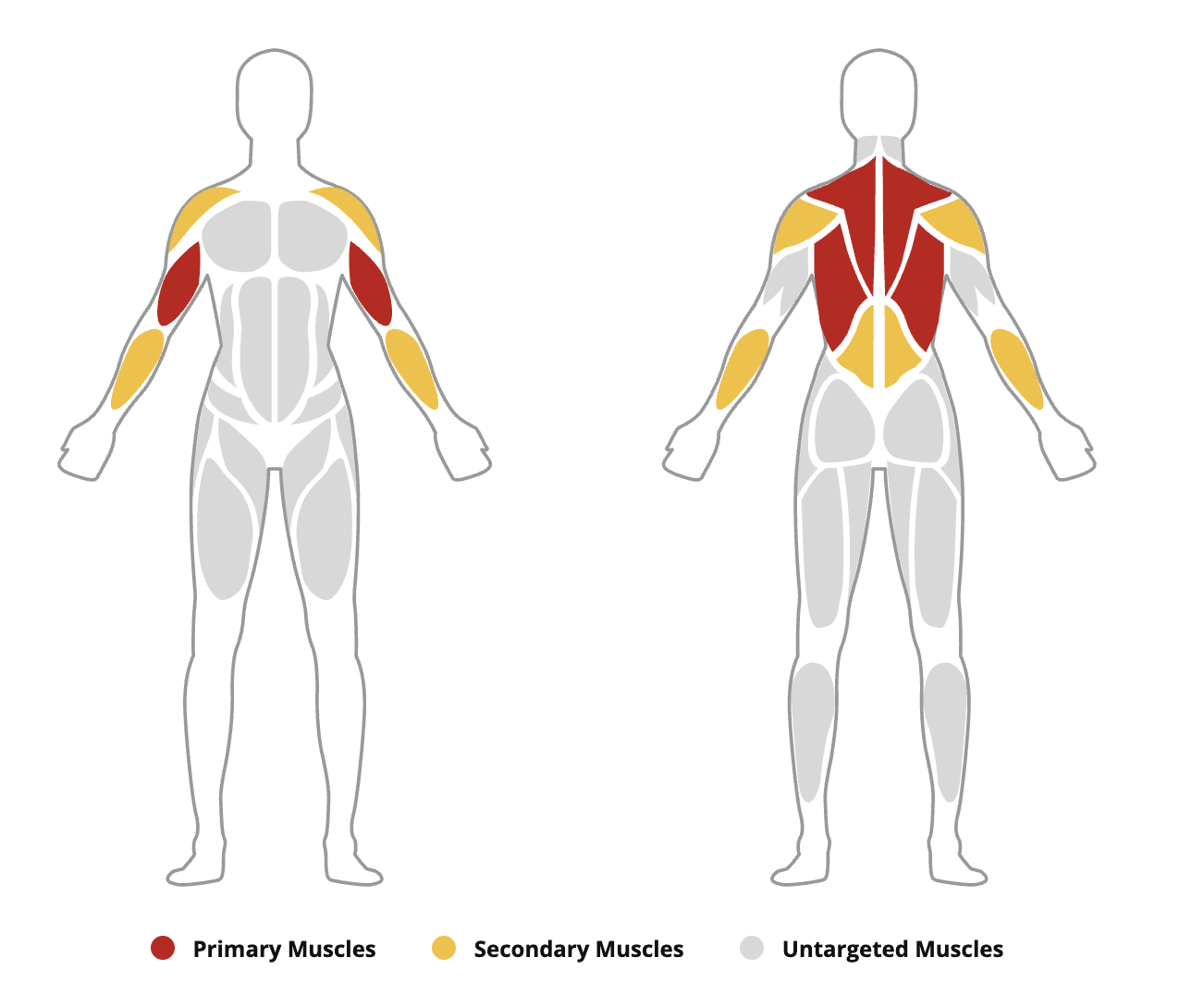
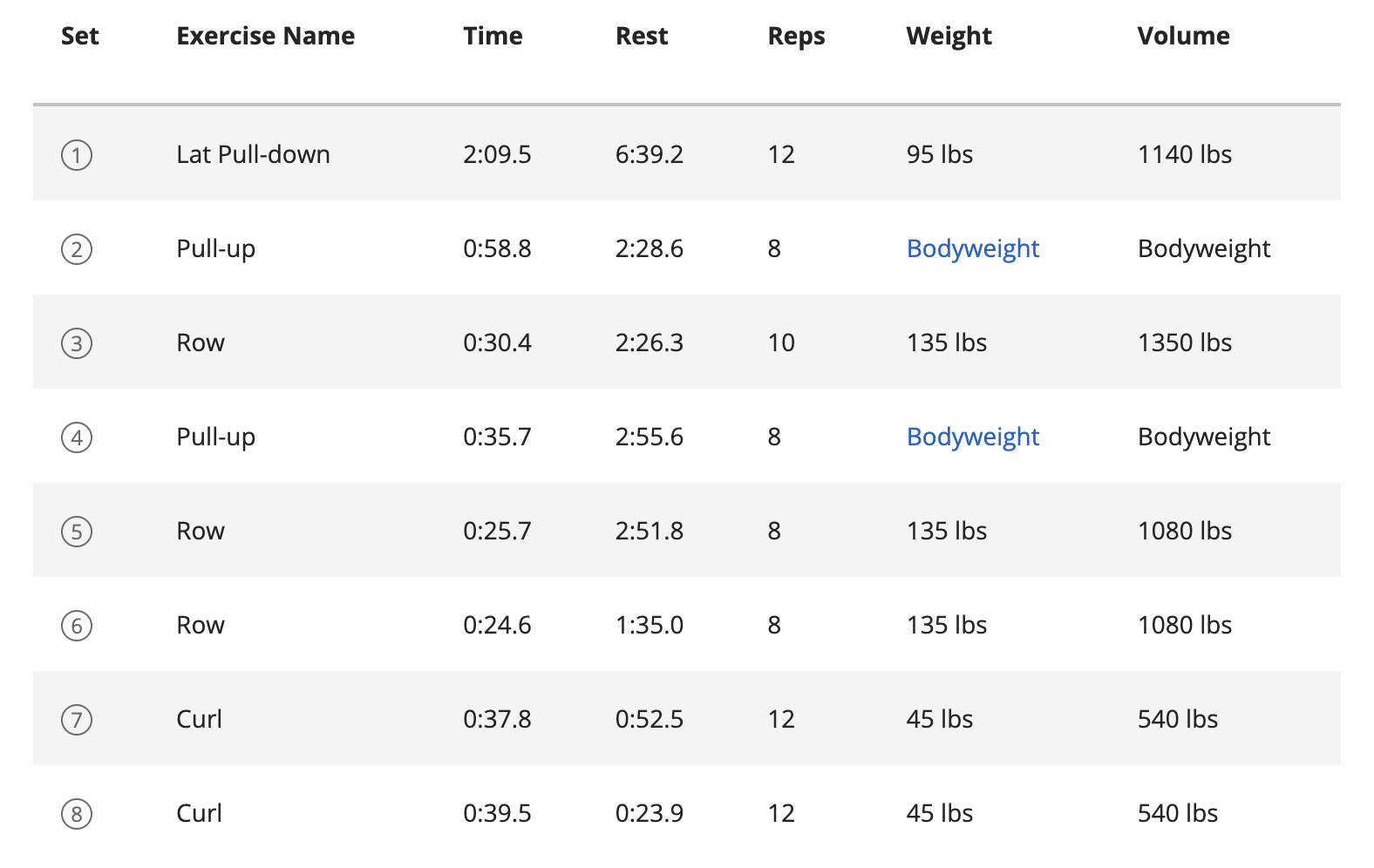
For running, many of the newer running economy features are not pushed, such as step speed loss or even the basic attributes such as primary training effect. Strava has recently launched Athlete Intelligence, but this feature is only visible on clicking into workouts, which prevents it from being searchable or displaying to followers in the feed.
So the first thought is - why not build a webhook that triggers when Strava activities are published and pull the Garmin data? There’s python-garminconnect, which is an open source Python library that wraps the Garmin Connect API. You can pull all kinds of data from it - heart rate, training status, activity details, training effects. The issue is that you still can’t push images to Strava through their API. Strava has restricted image uploads to official partners only.
This means you can’t just do a clean webhook-to-API pipeline. You need something that can actually interact with the Strava website or app the way a human would - open a browser, navigate to the edit page, click the file upload input, attach the image, and hit save. That’s where OpenClaw comes in.
The Solution
OpenClaw (aka ClawdBot / Moltbot) is an open source AI agent that runs locally on your machine. It connects to messaging apps like Telegram and uses large language models to execute tasks autonomously. The part that makes it relevant here is that it has a built-in browser tool. It can open a browser, navigate to pages, take screenshots, click things, fill in forms. Basically anything you’d do manually in a browser, it can do for you.
I set up OpenClaw on a spare laptop and signed into both my Garmin Connect and Strava accounts in its browser profile. Then I wrote two custom skills — one for strength workouts and one for running.
The Strength Skill: Muscle Map Transfer
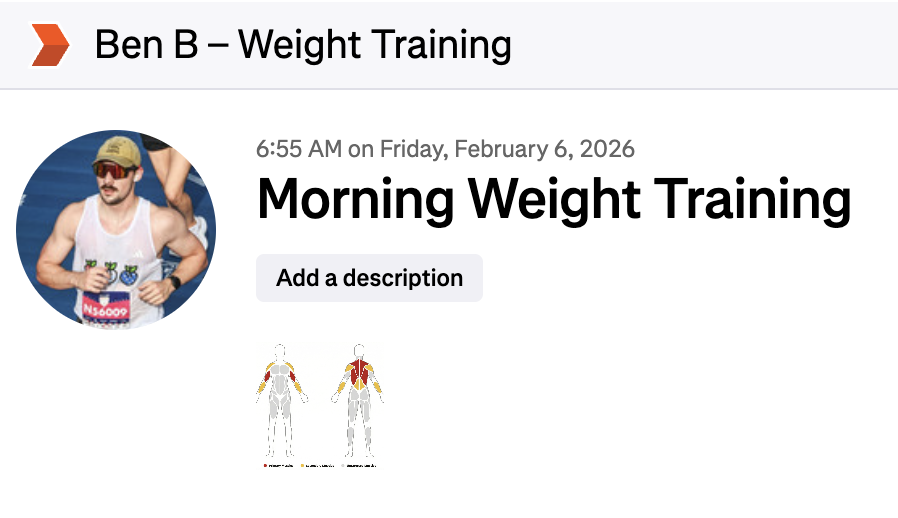
The strength skill works like this. When triggered, the LLM opens Garmin Connect in the browser, navigates to the specific activity page, and takes a full-page screenshot. The screenshot needs to be cropped since browser control is done programmatically and contains the sidebar, the navigation header, etc - things I don’t want. Then, it’s instructed to use OpenClaw’s nano-banana-pro skill, which leverages Gemini’s image editing capabilities, to crop the screenshot down to just the muscle map visualization. The prompt tells Gemini to keep the front body figure, the back body figure, and the legend row at the bottom, and strip everything else. Once I have the clean cropped image, OpenClaw navigates to the Strava activity’s edit page in the browser, uploads the image through the file input, and saves. Done.
The Running Skill: Training Effect Rename + Chart Upload
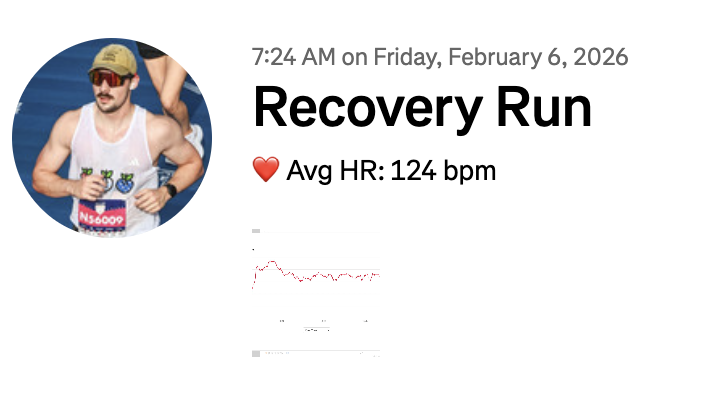
The running skill generally has the same architecture as the weightlifting activity skill, only the screenshot is for a different metric (step speed loss or heart rate if SSL isn’t present) and I also rename the activity. I prefer my run titles to be more descriptive, so I use the “Primary Training Effect” field on Garmin for the Strava activity title (Recovery Run, Tempo Run, etc).
What’s Next
Right now I’m triggering these manually, but the plan is to set up a Strava development webhook so that when a new activity gets posted, it sends a message to my OpenClaw instance on Telegram, which triggers the appropriate skill based on the activity type. Once that’s wired up, the whole thing is hands-free. When I finish a workout, it syncs to Strava through Garmin like normal, and then OpenClaw handles the rest in the background and texts me when it’s done.
The next plan is to add an integration with Spotify/Last.fm to post the genres listened to during a workout. Spava exists already for this, but I’m looking for a simpler text summary of my music, and one that integrates with my other skills. I already have this working locally, but need to publish it to a skill.
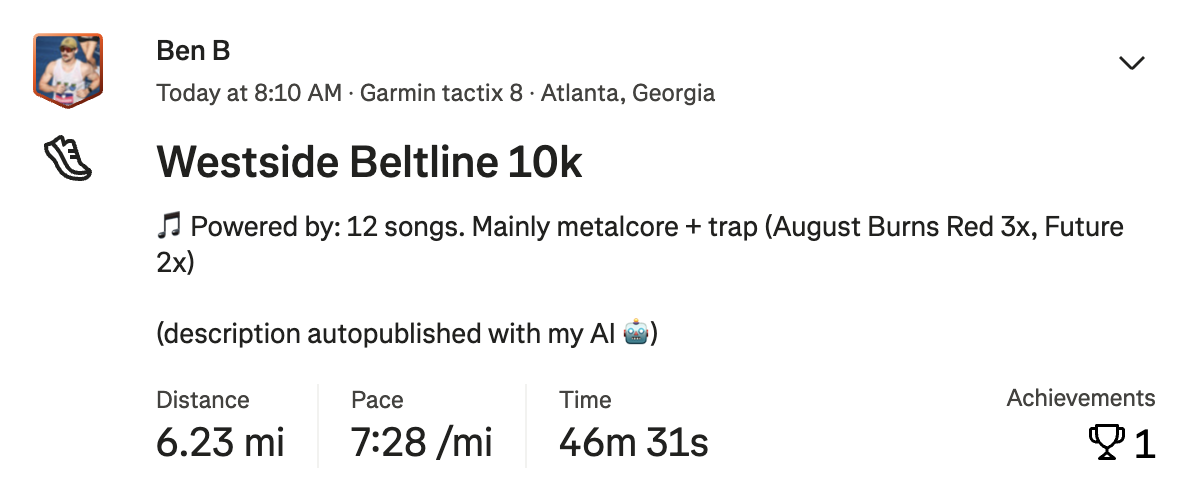
The extensibility of the skills is endless. I want to build out more of the running & lifting activities. More of the strength data could be parsed to auto-title Strava activities (back & bicep, chest & tri, etc), and sets & reps can be copied to the Strava description.
Beyond Strava, OpenClaw has an Apple Notes integration where I maintain my current weight lifting numbers. When a workout is finished, if I’ve logged my weight & volume in Garmin, I can have OpenClaw automatically update my Apple Notes with the new numbers. This is the part that gets me excited - the skills aren’t limited to one app, they can chain across services.
Tradeoffs
Overall, I mainly see a series of tradeoffs when solving these sort of problems with the “general solution” that language models provide. What I built is slow (it can take over 60 seconds to run a single skill) and expensive (I haven’t estimated the cost here, but it has to be ~$0.25 per skill execution). However, it was quick to develop (an hour), can’t be built with code currently (due to lack of API support), and is resilient to dependency changes (if Strava changes their API, my code breaks - but their website still works the same). I think these sort of solutions will become increasingly common as the autonomous agents like OpenClaw become more prevalent, costs go down, and skills (such as browser use) improve.
The Risks
To do this, I’ve given OpenClaw access to my Garmin Connect & Strava account through the web browser. With this access, it can delete or post on my behalf. I am aware of this risk, and you should be too. I have not installed any external skills as part of OpenClaw, but that does not reduce the probability of prompt injection or other malware to zero. For me, the convenience outweighs the risk - but if you’re doing something like this, I’d watch the first few runs before letting it go fully autonomous.